Rooms and Housekeeping Status
The Standard View shows each room, room type, status, guest, company, business source, and stay dates. The Booking View helps review room use across dates.
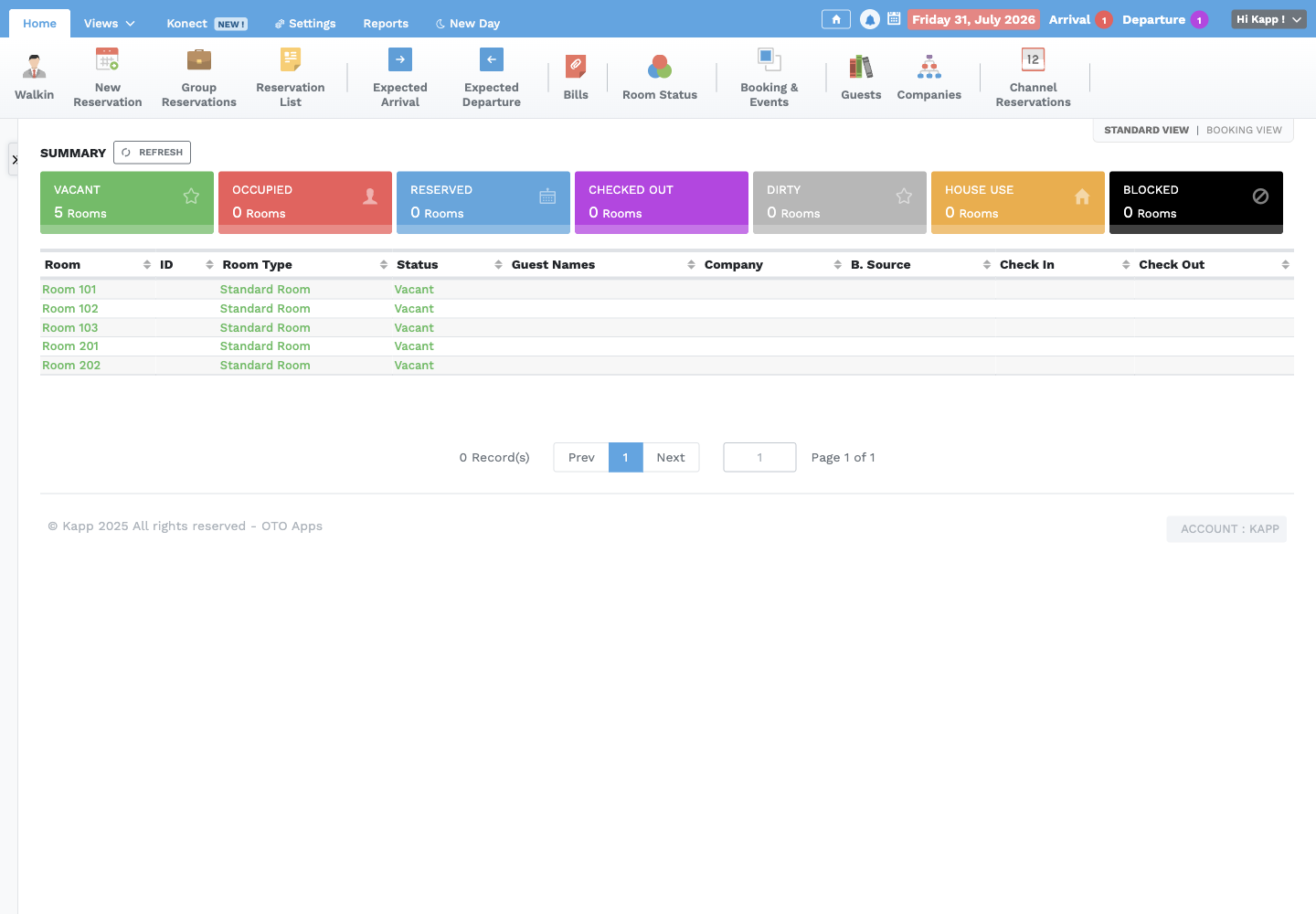
Status meanings
| Status | Meaning |
|---|---|
| Vacant | Ready and available for assignment |
| Reserved | Assigned to a future or pending stay |
| Occupied | Guest is checked in |
| Dirty | Requires cleaning or inspection before sale |
| Blocked | Temporarily unavailable for an approved reason |
| House Use | Used internally rather than sold to a guest |
Change room status
- Select Room Status.
- Find the room in its current status column.
- Confirm the physical room condition and authorization.
- Drag the room to the correct status.
- Confirm the success message and refresh the Standard View.
Typical checkout sequence: Occupied → Dirty → Vacant. Housekeeping or the authorized room-status owner moves Dirty to Vacant only after cleaning and any required inspection.
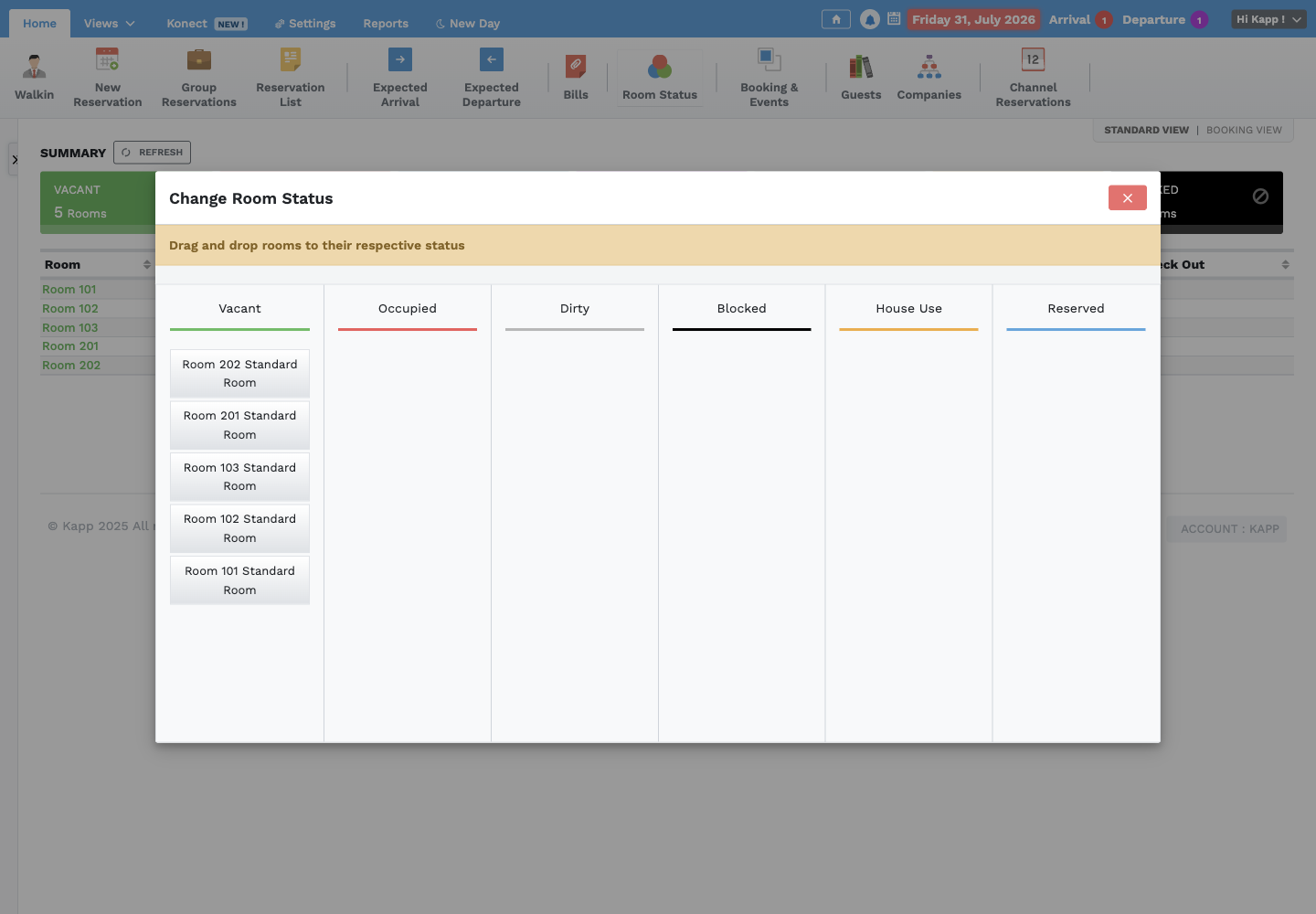
Never mark an occupied room Vacant, use a status change to move a guest, or release a blocked room without the approved clearance.
Daily room-status checks
- Compare the Standard View with the physical room board or housekeeping list.
- Investigate every mismatch before assigning the room.
- Review expected arrivals and departures.
- Confirm checked-out rooms are Dirty until released.
- Confirm blocked and House Use rooms have a current reason and owner.
- Hand over rooms that cannot be resolved before shift end.